
Utility
Free RSS Feed App
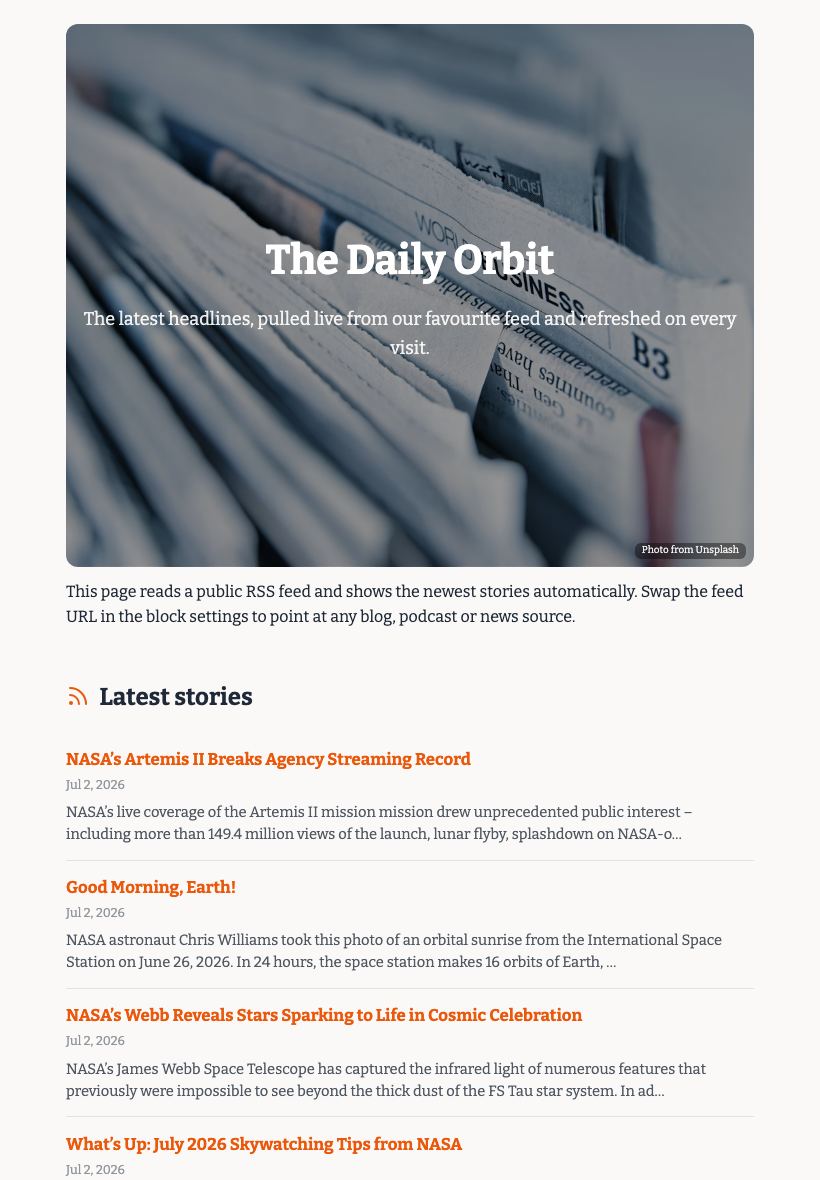
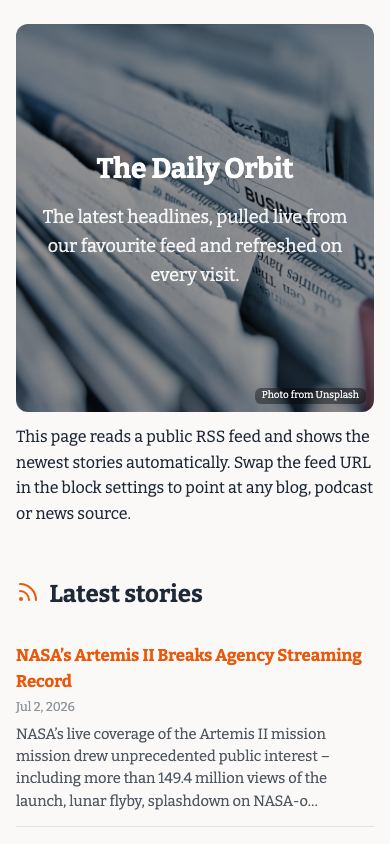
Paste an RSS feed URL and the RSS feed app gives you a live, styled web page that updates automatically whenever you publish new posts or episodes.

Updated July 2026
To turn an RSS feed into a page for free, open the Apps Generator RSS template, paste your feed URL, style the page to match your brand, and press publish. The page pulls the newest items from the feed automatically, so it always shows your latest posts or episodes, live in under 5 minutes with no signup. Share the link or embed the page anywhere, and it keeps itself up to date.
Works with blog, podcast and news feeds
Paste any standard RSS or Atom URL: a blog feed, a podcast feed, a YouTube channel feed or a news source. The page fetches the latest entries and lays them out as a clean list with titles, dates and excerpts, so visitors can scan and click through to the full item.
Your audience never needs an RSS reader
RSS is brilliant, but almost none of your readers have a reader app installed. This turns the feed into an ordinary web link anyone can open: send it to newsletter subscribers, pin it in a community, or embed it in an intranet so colleagues see your latest content.
Set it up once, it updates itself
There is nothing to maintain. Publish a new post or episode at the source and it appears on the page automatically, at the same link you already shared. Compare that with a manually curated links list that goes stale the week after you make it.
RSS feed page vs the usual ways
| Apps Generator page | RSS reader app | Manual link list | |
|---|---|---|---|
| Cost | Free, no signup | Free or paid, per person | Free |
| Who can see it | Anyone with the link | Only people who install a reader | Anyone, if you host it somewhere |
| Stays up to date | Yes, automatic | Yes, but only inside the app | No, you edit it by hand |
| Shareable link and QR code | Yes, built in | No public page to share | Depends on where you host it |
| Embed in a website or intranet | Yes | No | Copy and paste each time |
Ready when you are
Make this app yours
Open the editor, swap in your words and photos, and publish a link you can share in minutes - free, no signup.
Build my RSS feed page freeFrequently asked questions
Is the RSS feed page really free?
Yes. Creating and publishing your feed page is completely free, with no trial or card required. Optional Pro extras like a custom domain are the only paid part.
Do I need an account to publish it?
No. You can build and publish without signing up. A free account is only useful if you want to come back and edit the same page later.
Which feeds does it support?
Any standard RSS or Atom feed works: blogs on WordPress or Ghost, podcast feeds, YouTube channel feeds and most news sites. If a URL works in an RSS reader, it works here.
Does the page update by itself?
Yes. The page reads the source feed automatically, so new posts or episodes show up shortly after you publish them, with no manual editing on your side.
Can I embed the feed page in my own website?
Yes. Every published page can be embedded anywhere with a simple embed snippet, so you can show your latest posts inside an existing site or intranet while the standalone link keeps working too.